Here's a roundup of the most important news from the past few weeks, from the perspective of people who work with these technologies every day. For each item we add our take: what's urgent, what can wait, and where we see risks that are easy to overlook.
iOS & Apple
This autumn brought a foldable iPhone, new operating systems, HomeView and other smart home devices, and EU business terms that Apple and the European Commission have agreed on for the first time. On top of that: new tools for parents, a proposed EU law on children online, new promotional placements in the App Store, and an April 2027 deadline that affects every app on the store.
Apple event: new iPhones, Watches, AirPods and the 27 OS releases
In September, Apple unveiled the iPhone 18 Pro and iPhone 18 Pro Max, iPhone Duo, Apple Watch Series 12, Apple Watch Ultra 4 and AirPods 5. The Pro iPhones, the Watches and the AirPods have been in stores since 18 September. The foldable iPhone Duo goes up for pre-order on 16 October and on sale on 23 October. Five days after the event, Apple released iOS 27, iPadOS 27, macOS 27, watchOS 27, visionOS 27 and tvOS 27.
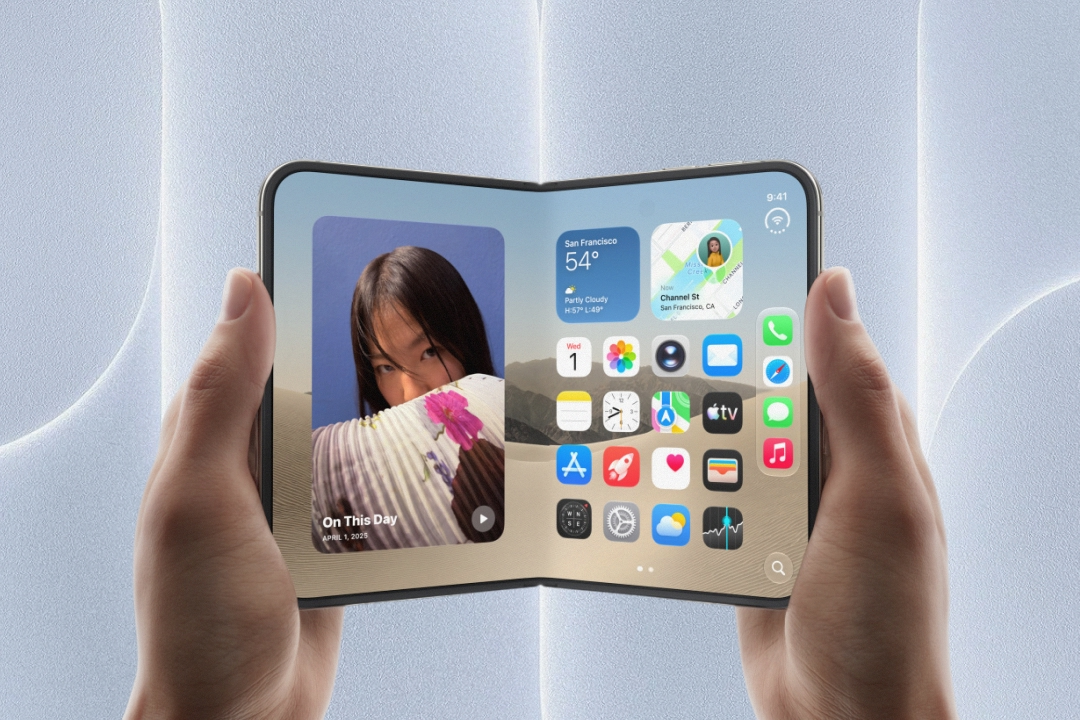
The iPhone Duo, the first foldable iPhone, drew the most attention. Folded, it's the size of a passport. Unfolded, the inner display has the same aspect ratio as the outer one, so content simply scales up instead of reflowing. Controls move to the side of the screen so your thumb can reach them, and the inner display is the first on an iPhone to run two apps side by side. Since 5 October, Apple has been accepting apps optimised for the new device in App Store Connect.
Futured tip: We've covered what iPhone Duo means for your app and how to prepare in a separate article.

With the iPhone 18 Pro and Pro Max, Apple focused mainly on battery life, the camera and performance. For the Pro Max, Apple talks about the biggest jump in battery life in iPhone history. The versions sold in the Czech Republic last up to 34 and 43 hours of video playback respectively, and when the battery does run out, a 60W adapter charges both models to 50% in about fifteen minutes. The new 48MP main camera is the first on an iPhone with a physically variable aperture, adjusted either automatically to the scene or manually in the new Pro controls mode. Performance comes from the A20 Pro chip with new cooling, designed to sustain longer workloads such as gaming.
The Watches and AirPods got smaller but welcome upgrades. Apple Watch Series 12 and Ultra 4 have new health sensors that measure heart rate more accurately and more often, and use the data to tell you how ready you are for the day. Later this year they'll also get Audio Intelligence, which alerts you to a siren or a doorbell and can summarise a conversation you've just had. AirPods 5 bring active noise cancellation to open-fit earbuds as well as live translation, all for $129.
On the software side, the star of iOS 27 is Siri AI, a new Siri built on Apple Intelligence. It understands the content of your messages, emails and photos, sees what's on your screen or in front of the camera, and can take actions across apps. It's launching as a beta in English, with more languages coming during October. In the EU, however, it won't be available on iPhone, iPad or Apple Watch for now, only on Mac and Vision Pro. Also worth noting is Apple Reference Image, Apple's first attempt to tackle AI-generated deepfakes. The iPhone 18 Pro creates a tamper-proof reference image for each photo, a kind of digital negative that shows whether the photo has been edited. Third-party apps can display reference images too. The new parental tools are another big addition; we cover them in the section below. Users will also notice smaller improvements: Dynamic Island can now run up to three Live Activities at once, and AirDrop in iOS 27 is up to 80% faster, according to Apple.
October brought one more wave of announcements. On 13 October, Apple unveiled a new Apple TV 4K, a new generation of HomePod mini and a brand-new device, Apple HomeView. It’s a smart home hub with a 7-inch display that you can place on a table or mount on a wall. It recognises the faces of up to six household members and shows each of them their own content, controls your smart home, plays music and video, and has Siri AI at its heart. Alongside it, Apple also introduced Apple Home Collection, its first own line of cameras, thermostats and a lock, developed with LG and Schneider Electric. HomeView costs $299 and goes on sale on 13 November. And now for the surprise (not): you can’t buy it in the Czech Republic. Apple won’t sell it in the EU because Siri AI, which HomeView is built on, isn’t available here yet.
Apple's new EU terms take effect: the first step towards common ground after years of dispute
Since 1 October, new business terms for apps have applied in the European Union. Apple announced them in August and describes them as the result of “close collaboration with the European Commission”. It adds that “these changes resolve Apple's disagreements with the Commission over business terms and alternative distribution.” Instead of several parallel regimes, there is now a single set of terms for everyone distributing apps in the EU.
The key points:
- It only applies to digital content, such as subscriptions, unlocked features or credits. Physical goods and services outside the app don’t pay Apple anything, and never have.
- The commission on Apple In-App Purchase payments in the EU drops from 30% to 26%. The reduced 15% rate for smaller developers and for subscriptions after the first year stays the same.
- For the first time, you can offer another payment method alongside Apple In-App Purchase: your own payment gateway, where you pay Apple a 20% commission, or a link to purchase on the web, where you pay 15%. However, you have to stick with your chosen payment options for 12 months, and they come with a number of rules, from how you display them in the app to parental approval for purchases by children.
- Apps distributed outside the App Store pay Apple 5% on sales of the app itself and of digital content sold within it. The installation fee (Core Technology Fee) has also been scrapped, so free apps with no digital sales pay nothing.
We'll soon publish a separate article on how the new rates work in practice, who they apply to, how the commission is calculated and why it doesn't pay to try to get around them.
The European Commission responded positively through its spokesperson: “The Commission welcomes Apple's changes to their business terms, which follow a close dialogue between the Commission and Apple.” It added that it will monitor how Apple actually implements the terms. So hopefully better times are on the horizon, and the sharp edges are finally being smoothed out.
Our take: More than the content of the new terms, what matters to us is the signal this first conciliatory step sends. Not long ago, both sides were standing their ground, positioning themselves against each other, and neither was willing to budge. Now they've finally moved towards dialogue. The dispute isn't over, but we're definitely in a better place than before, and hopefully a similar compromise will be reached in other disputes around the Digital Markets Act. It would be great to see a similar announcement for Siri AI and other Apple Intelligence features that are still missing in Europe, so they finally get a clear EU release date too.
Our recommendation? If you only sell through Apple In-App Purchase, just accept the new agreement and you'll keep more of your revenue in the EU. If you're considering your own payment gateway or a web link, run the numbers first: the commission, gateway fees, taxes, monthly reporting to Apple, support, and how many customers you'll lose outside the native purchase flow. Your choice will be locked in for a year.
Apple switches on parental tools. The Commission proposes the KIDS Act the same week
The parental tools Apple showed in June have been available in iOS 27, iPadOS 27 and macOS 27 since 14 September. Parents can set daily time limits by category: Entertainment, Games and Social Media (Time Allowances). They can require approval for every new website in Safari (Ask to Browse) and set schedules for which apps a child can use and when. Communication Safety now blocks violent content as well as nudity in shared photos and videos, including live FaceTime calls. Screen Time has also been redesigned to be a bit clearer.
For developers, the main takeaway is this: the age rating and categories you assign to your app in App Store Connect now have a real impact on who can access it and for how long. Parents use them to allow apps, restrict them and set time limits. Apps are placed in the Entertainment and Games categories based on their App Store category, and in Social Media based on your answers in the age rating questionnaire.
Social features are a big topic here. Since September, answering the questions about social features is required to submit a new app or an update. Apple defines them broadly, as the ability to share, amplify or react to user-generated content through a feed or a similar discovery mechanism. This includes apps that don't see themselves as social networks, such as those with public reviews or comments. Answering “yes” means a minimum 13+ rating, a Social Media label on the app's App Store page, and placement in a category that parents can restrict.
The European Commission is also tackling child safety online. Three days later, on 17 September, it adopted the EU KIDS Act proposal, which goes even further. While Apple puts tools in parents' hands, the Commission wants to set age limits by law. According to its Q&A, the proposal introduces age tiers. Children under 13 won't be allowed a social media account at all. Between 13 and 15, they can only have a restricted account set up by a parent, with parental controls that can't be switched off and a daily limit of one hour at most. From 15, they can have their own account. The age limits apply to social networks and video platforms with risky features, but games and AI chatbots will also be subject to rules. Under the proposal, app stores will be required to age-rate every app. The Commission says the proposal reverses the burden of proof, so providers will have to show that their service is safe for children.
This is a proposal, not a law in force. It still has to go through the European Parliament and the Council, and the wording may change. The Commission is, however, running a public consultation until 26 November 2026, which service providers can also take part in.
Child safety online is becoming a major topic, and both the platform and the regulator pushed in the same direction in the same week. We welcome that. A safe environment for children should be a given, not just a voluntary add-on, and it's good that both Apple's tools and EU rules are now helping to establish it.

Flash news ⚡
Apple and paediatricians release a guide for families. Alongside the new parental tools, Apple and the American Academy of Pediatrics released the Building Healthy Digital Habits guide on 29 September. It helps families find a balance between screen time, sleep, exercise, school and time with loved ones. It offers advice on how to talk to children about rules, how to adjust them and, of course, how to set them up directly on your iPhone.
SDK 27 required from April 2027. From April, apps uploaded to App Store Connect will need to be built with SDK 27, i.e. in Xcode 27. It's still a while away, but it's worth planning for now. With the new SDK, iPhone apps are expected to adapt smoothly to any window size, whether on iPhone Duo, on iPad or when mirroring an iPhone on a Mac. Incidentally, iOS and iPadOS apps already have to target at least iOS 13.
New App Store promotional placements are live. Since 5 October, you can use a custom header on your product page and new images and videos in search results. These don't have to show only app screens; they can feature your brand, a seasonal offer or new content. App Store Connect now has an Asset Library where you can upload assets and get them approved in advance for a future campaign, plus a product page preview including dark mode and iPhone Duo. If you're planning a Christmas campaign, now is a good time to prepare your assets and submit them for review.
iPhone Duo screenshots required from April 2027. The new assets come with another requirement. From April, all apps submitted to App Store Connect will have to include screenshots for iPhone Duo. Apple has already published the specifications and templates, so you can prepare them along with your other App Store materials.
Android & Google
Google unveils Googlebook: Android heads for premium laptops
We knew Android was heading for laptops. But for a long time the details were a mystery: how heavily modified the Android would be, and whether it would get a new name. It's worth explaining how Googlebook differs from the cheap Chromebooks that are being phased out.
First and foremost, the focus has shifted from affordable laptops for students and casual users to premium devices. Googlebooks are meant to be high-quality multimedia workstations, including for professionals doing video editing, music production and the like. This isn't just a promise but a full-fledged launch of a new platform, because a whole range of specific Googlebooks from Acer, Asus, Dell, HP and Lenovo were unveiled at the same time.
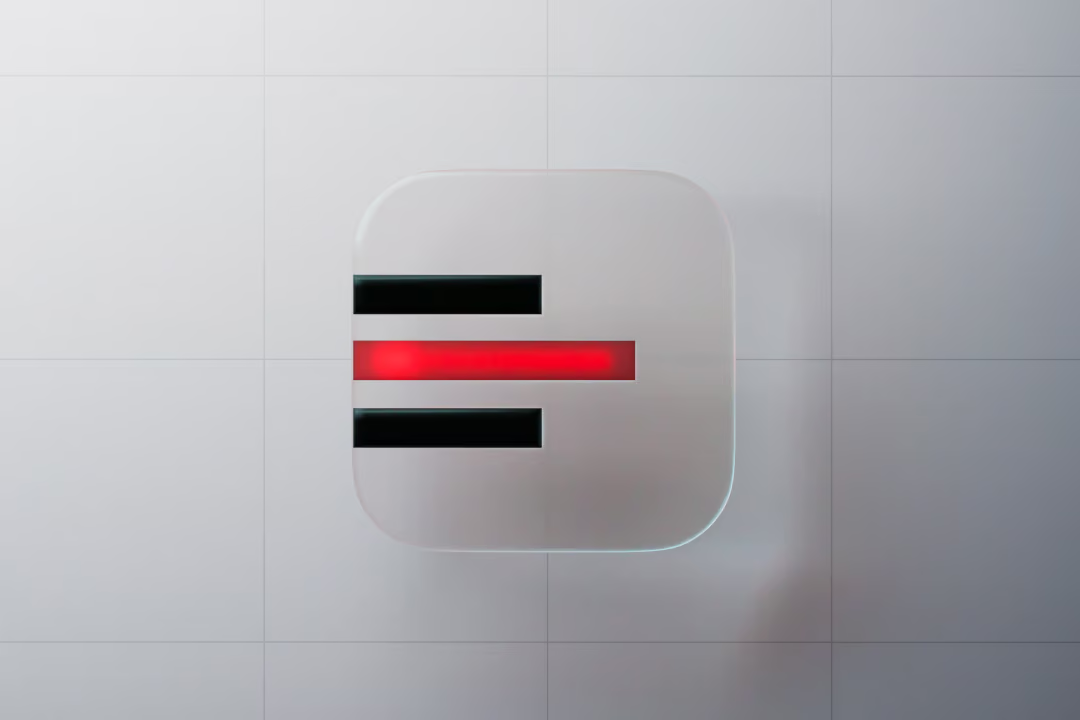
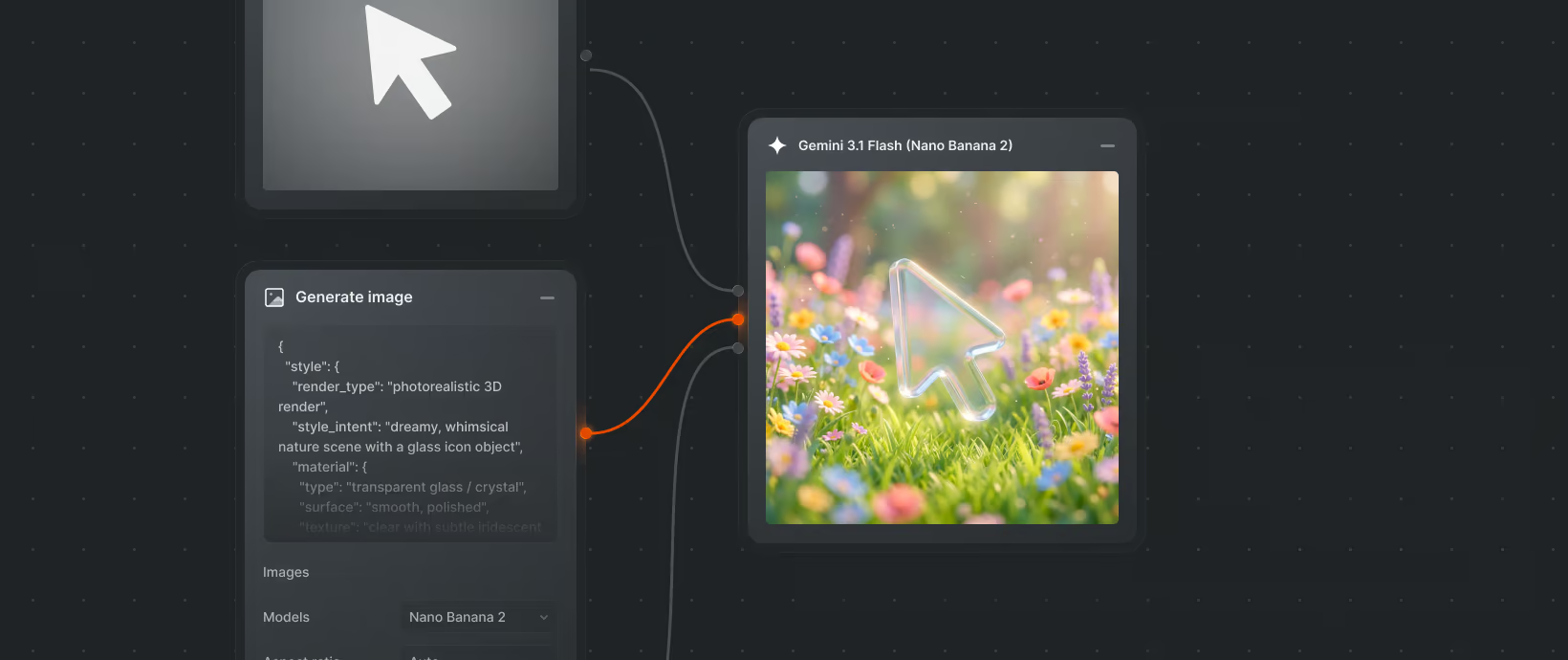
Besides solid build quality, performance and everything else you'd expect from a device like this, Google is trying to stand out with small clever touches such as the Glow bar and Gemini built into the cursor. And because it's Android, Google could finally offer a truly seamless handover of your workflow between phone and laptop, similar to what Apple has. Continue On can even move a running app between devices, picking up exactly where you left off.
The key question is whether Google will stick with this serious approach to the new platform and take on Apple and Microsoft, or whether it will turn out to be just another respectable experiment of the kind Google runs every now and then. Developers of key software will respond to that too, which will further shape the platform's future.
For mobile app owners, this means a wider market for their Android apps. UI responsiveness, the ability to adapt to different screen sizes, is already mandatory, so adapting apps for Googlebook shouldn't be particularly demanding.

KMP
Autumn in Kotlin brought two things worth stopping for. For the first time, JetBrains recommends Kotlin Toolchain as the default path for new KMP projects. And with Kotlin 2.4.20, the official Swift Export has moved forward enough that it's fair to ask the question every KMP team with iOS is asking: is it time to leave SKIE?
Kotlin Toolchain is now the recommended path for new KMP projects
In October, JetBrains released Kotlin Toolchain 0.13 and, with it, officially recommended Toolchain for most new Kotlin Multiplatform projects for the first time. Toolchain (the evolution of the Amper project) is a single CLI tool for setting up the environment, creating, building, testing and publishing apps and libraries, with declarative configuration. You'll now also find it in the getting started guides, the web wizard and the IDE wizard.
Version 0.13 brings:
kotlin new: interactive project creation in the style of the KMP Wizard, including choosing target platforms.- SwiftPM dependencies: add iOS libraries such as Firebase directly to the module configuration and call their Objective-C APIs from Kotlin.
- Smoother iOS onboarding: clearer Xcode diagnostics (licence, first launch) and automatic runtime download and simulator creation.
- Kotlin/Native cache: compiled dependencies are reused across builds and projects, and after a small change only the affected code is relinked.
- AI agents: a Hot Reload MCP server and official agent skills for Kotlin (
npx skills add kotlin/kotlin-agent-skills).
In June, we wrote that we were staying cautious about Amper until it proved itself in larger projects. Four months later, JetBrains is making it the default gateway to KMP. For new projects, that means less Gradle configuration, fewer “it only works on my Mac” moments, and a faster start for people who have never set up the iOS side.
The AI angle is interesting too. Declarative configuration and clear error messages are turning out to be an ideal environment for agents. According to JetBrains' benchmarks, agents generate and maintain Toolchain projects more reliably and with lower token usage than classic Gradle projects.
But it's worth reading the fine print. Toolchain is still at version 0.x, and JetBrains themselves say they don't yet recommend migrating existing Gradle projects until the gaps are filled. Swift Export support in Toolchain and automated publishing to the stores are still only on the roadmap.
Nothing changes for existing projects: Gradle stays, and even the authors don't recommend migrating. For new projects, we'd mainly consider Toolchain for smaller scopes, quick prototypes or internal tools.
For a long-term client product with multiple modules, custom Gradle plugins and CI tied to the existing build, we'd stick with Gradle for now. What matters is whether Toolchain can handle everything the project will need two years from now, not just the first commit.
What to watch out for? Toolchain will keep changing in future versions, and JetBrains warn that some changes will require project updates. Anyone adopting it now has to plan for ongoing build maintenance.
Who it's relevant for: teams starting out with KMP, and companies that want to quickly validate an idea on Android and iOS without investing in build setup.
Swift Export catches up with SKIE. Is it time to switch?
Kotlin 2.4.20 was released on 7 September and moved Swift Export forward. Sealed classes and interfaces now map to Swift enums, so you can write an exhaustive switch in Swift without a default branch. Cross-language inheritance has also arrived: you define a contract in Kotlin and implement it in Swift, for example on top of CryptoKit. And Gradle now generates Package.swift for an XCFramework with SwiftPM dependencies automatically.
On our projects we use SKIE from Touchlab, which enhances the classic Objective-C export. For coroutines (suspend as async, Flow as AsyncSequence) and now sealed classes too, Swift Export is already on a similar level. But it's still in Alpha, exports extension functions as static functions, has only limited support for generics, and only works with direct Xcode integration. On top of that, the two approaches are mutually exclusive, so switching affects the whole project at once.
Is it worth switching from SKIE? Our view is: not on production projects yet. We are, however, trying Swift Export on smaller projects and designing new iOS APIs so that a future switch is as cheap as possible.
There's a risk on the SKIE side too: it's a single-company tool, and support for Kotlin 2.4.20 arrived 18 days after its release. We'll revisit the switch once Swift Export reaches Beta and starts exporting extension functions as Swift extensions.
Who it's relevant for: every KMP project with a native iOS UI where the Swift team works with the shared module's API daily. For projects built on Compose Multiplatform the choice matters less, but even there we'd stick with SKIE in production for now.
Flash news ⚡
The KMP plugin drops Swift support. Starting with IntelliJ IDEA 2026.3 and Android Studio Rabbit 2, the KMP plugin will no longer support editing, highlighting and navigation in Swift files or between Swift and Kotlin. Running iOS apps, debugging Kotlin on iOS and Swift Export remain. The reason is low usage: iOS developers on KMP projects prefer Xcode. JetBrains has no plans for a replacement.
Compose Multiplatform 1.12.0 is stable. The release from 26 August adds an experimental MCP server to Compose Hot Reload, through which an AI agent can trigger a reload, take a screenshot, browse the semantic tree and click in the running app, so it can verify its own changes. On the web, missing fonts for Japanese, Arabic or emoji are now loaded automatically, and desktop got a new v2 API for windows and dialogs.
Kotlin 2.5.0-Beta1. The first beta, from 23 September, stabilises name-based destructuring and brings experimental companion blocks and extensions, which compile to static members on platforms that have them. Note the warning: the minimum JDK for running the compiler will rise from 8 to 17, becoming mandatory from Kotlin 2.5.20 or 2.6.0.
Faster iOS builds. Incremental compilation of klib artefacts on Kotlin/Native has been in Beta since 2.4.20, and JetBrains plans to enable it for everyone in upcoming releases. If you want to try it now, just add kotlin.incremental.native=true to gradle.properties.
Fullstack
Browsers move to a two-week release cycle
Chrome, Edge and Firefox have moved from a four-week to a two-week release cycle. Edge went first with version 152 (27 August), followed by Firefox 155 (1 September) and Chrome 153 (8 September). Mozilla describes the change as an experiment it will evaluate. Apple hasn't announced a similar change.
The main reason is security. AI tools have significantly sped up the discovery of vulnerabilities, on both sides: they help fix them, but also exploit them. In versions 149 and 150 alone, Google fixed 1,072 security bugs, more than in the previous 23 versions combined. A shorter cycle shortens the time a known bug stays out in the wild without a fix. New features won't arrive in greater numbers, though, just more often and in smaller batches.
We see the change as positive: smaller, more frequent releases mean less risk in each one, but they also raise maintenance demands. Watch out for companies that choose the Extended Stable or ESR model. Their employees will run different browser versions than regular users, so apps have to work reliably at both speeds at once.
The change also affects mobile apps that use WebView on Android. WebView is built from the same code as Chrome and gets an update via Google Play with every Chrome release, although it may not reach all devices on the same day. WebView also doesn't support every Chrome feature, so anything that works in the browser needs to be verified in the app too.
Automated tests against the browser's Beta version, tracking errors and conversions by browser version, and adjusting your maintenance SLA will help you prepare for the new pace.
Recommendation: After each browser release, watch for sudden spikes in error rates and drops in conversions for that specific version. Long-term trends won't reveal a problem with a new version in time.
Flash news ⚡
Next.js 16.3 is the biggest update since 16.0. Vercel promises up to 90% lower memory usage during development and a set of “Instant Navigations” meant to give apps the snappiness of an SPA without giving up server-side rendering. More interesting, though, is the AI angle: the framework maintains an AGENTS.md file with documentation tailored to your exact version, error messages include a ready-made prompt with a fix for an AI agent, and Skills have been added for multi-step tasks. Next.js is openly positioning itself as a framework for development with AI agents. Mind the security side: four security releases have shipped since July, including several critical vulnerabilities, so update to at least 16.3.8 (or 15.5.27).
Next.js moves to monthly security releases with advance notice. Like the browser vendors, it cites the sharp rise in vulnerabilities found by AI.
Another npm worm. A year after the well-known Shai-Hulud attack, a new worm called ChainDrop compromised more than 400 packages across 2,000 versions, including keyv and cache-manager. Together they have around 2 billion downloads a month. The malware steals developer credentials and spreads itself to other packages.
Bun 1.4 has been completely rewritten from Zig to Rust. The developers promise five times lower CPU load at idle, up to 35% lower memory usage and the best Node.js compatibility yet. Built-in tools for image processing and browser automation have also been added.
QA
Appium extends automation to Apple Watch. Mobile QA is no longer just about the phone
In early September, Appium announced support for automated testing of watchOS apps through the XCUITest Driver. Testers can now use familiar tools such as Appium Inspector, locate elements on screen, perform interactions and simulate Digital Crown input or gestures. For now, though, there's a major limitation: automation only works on simulators, not on physical Apple Watches.
Mobile apps stopped ending at the phone screen long ago. More and more often, they communicate with watches and other devices, and users expect everything to work seamlessly between them. That also increases the number of scenarios that need testing.
Until now, automated testing on watchOS was more complicated than for regular mobile apps. Appium support makes it possible to bring watch tests into existing automation pipelines without building a completely new solution.
We see the Appium extension as another step towards automating the entire user ecosystem. It's not just about checking that a button on the watch works. What matters is that the app reacts correctly to state changes, shows up-to-date information and delivers a consistent user experience across devices.
At the same time, we'd be cautious about the idea that a simulator can replace a real device. Bluetooth communication, synchronisation, connectivity and performance still need to be verified in real-world conditions.
For projects using Apple Watch, it makes sense to start by automating basic user scenarios and regression tests. We'd keep more complex phone–watch scenarios in manual testing as well.
Our tip? Automate repeatable scenarios on simulators, but don't rely on them as your only proof of quality. The more devices an app connects, the more important it is to test how they communicate in a real environment.
Flash news ⚡
Maestro 2.9 brings Dark Mode automation. The new setDarkMode, toggleDarkMode and assertDarkMode commands let you automatically switch and verify an app's appearance on both iOS and Android. One more system state we no longer have to check only by hand.
Visual regression testing with Maestro. The assertScreenshot command compares the current screen with a reference image and catches visual regressions. Watch out for dynamic content, animations or differences between devices, which can cause false alarms.
AI News
DID YOU KNOW we also publish AI News? In the latest issue, released in early October, we looked at Anthropic and OpenAI and their three flagship models (which a model one tier below then beat in most benchmarks). We also covered how open source almost caught up with closed models over the summer, only for them to pull ahead again in September. And we break down a new type of model that doesn't write a single word, but solves what agentic systems have been missing so far: cheap, fast decision-making.
–––
The news that caught our attention this autumn was put together for you by Radek Doležal (iOS), David Kočnar (Android), Rudolf Hladík (KMP), Martina Sumbalová (Fullstack) and Jan Drásal (QA).
–––
Like how we think about apps? Want to talk about your existing or future one?
Get in touch with Lukáš, who founded and runs Futured:
Lukáš Strnadel – lukas.strnadel@futured.app – +420 605 312 459








.webp)
%20(2).webp)
.webp)
.webp)
.webp)

.webp)
.webp)
.webp)

.webp)

.webp)
.webp)


.avif)